Luis
Verified
Perfect
Codes are Generated Instantly ⚡

Your code appears instantly on the screen after purchase and is also sent to your email.
Assistance is available anytime, including nights and weekends.
In rare cases where manual processing is needed, we notify you prior to payment.
Those codes typically arrive within 1 hour, with a maximum wait of 24 hours.
1. Watch our YouTube video how our service works. Also read our YouTube reviews in comments.
2. Check our genuine reviews on our website.
3. Read our extensive blog to learn how to verify our service, see videos, read reviews, and understand our process.
If the code doesn't work, you'll be covered by a full money-back guarantee.
Refunds require a single video showing the code attempt and serial number.
See our Refund Policy for full details.
All Audi models use the same radio code system. Select your model below or use the checkout form on the left.
Perfect
It really worked 😲😄
The code worked
If your radio code is missing, you have a few options.
One way to get it is by contacting a dealer, car manufacturer, or authorized service center.
They typically require your Vehicle Identification Number (VIN), proof of ownership and car documents, and sometimes even a registration certificate.
The process is frequently slow.
Some charge a fee (which can be expensive), while others offer it for free - but it can take hours or days.
Fees vary, and turnaround times range from same-day to several days.
This method is official but not ideal if you need the code quickly.
The fastest and easiest way to unlock Audi radio is through our service.
All you need is your radio's serial number, which you can find on the unit, retrieved from the screen or located on the sticker.
There's zero paperwork involved, and the code is displayed instantly and sent to your email.
We support most Audi radios and models.
Find Radio Code handles everything automatically, and we offer a no-risk process with refund support.
It's the fastest way to regain access to your stereo - no tools, no dealership, no waiting.
| Dealer | Find Radio Code | |
|---|---|---|
| Delivery time | Same day or several days | Instant 95% of times |
| Availability | Business hours only | 24/7 |
| In person visit? | Sometimes | Never |
| Pricing | $120-$200 | From $9.99 |
| Refund | No guarantee | Always |
The majority of factory radios, the serial number is printed on a tag attached to the side of the unit.
To access it, you'll need to slightly extract the stereo using standard removal keys.
Physical removal is often the most reliable way to access your S/N.
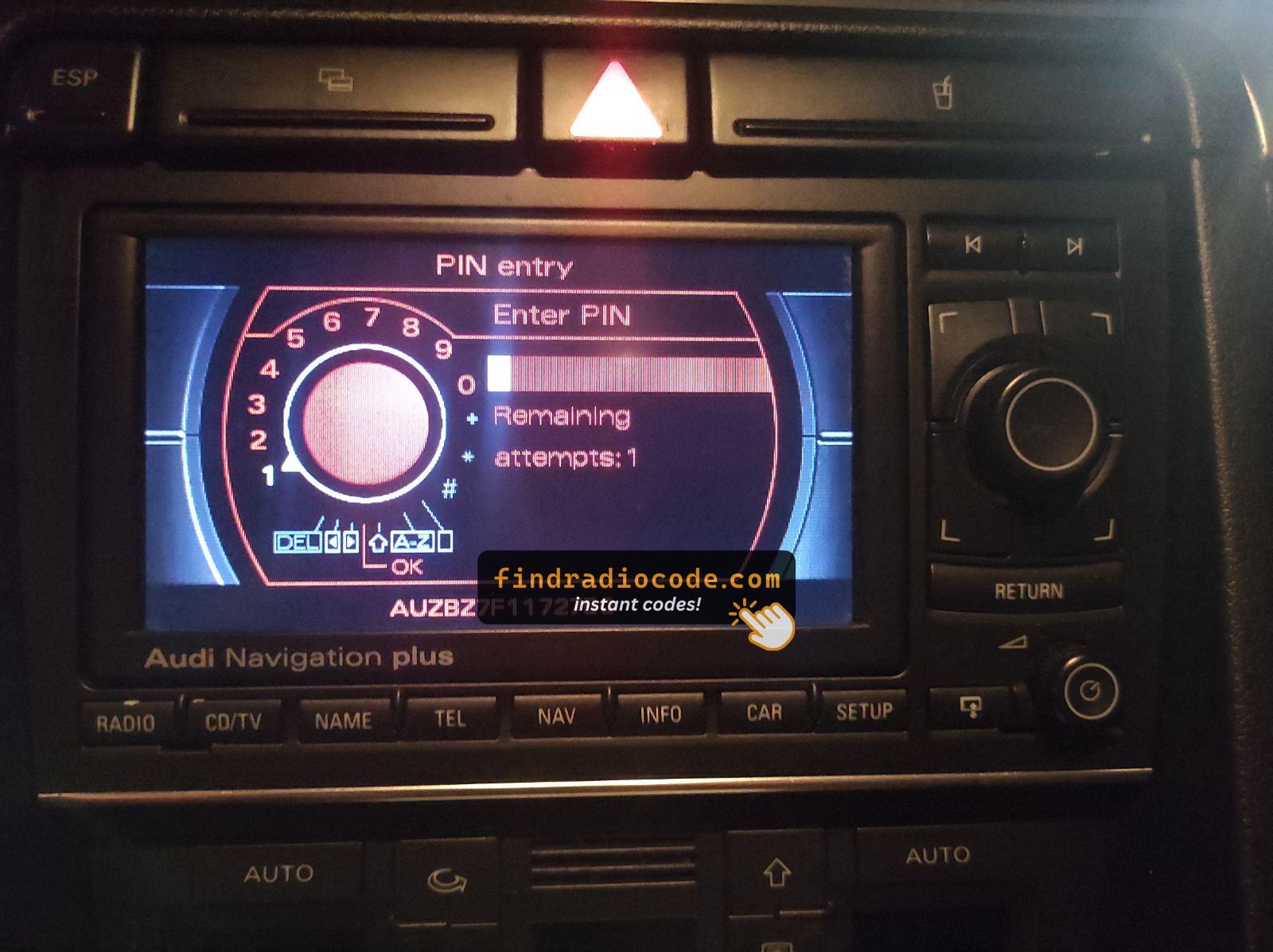
Audi RNS-E Serial on Screen
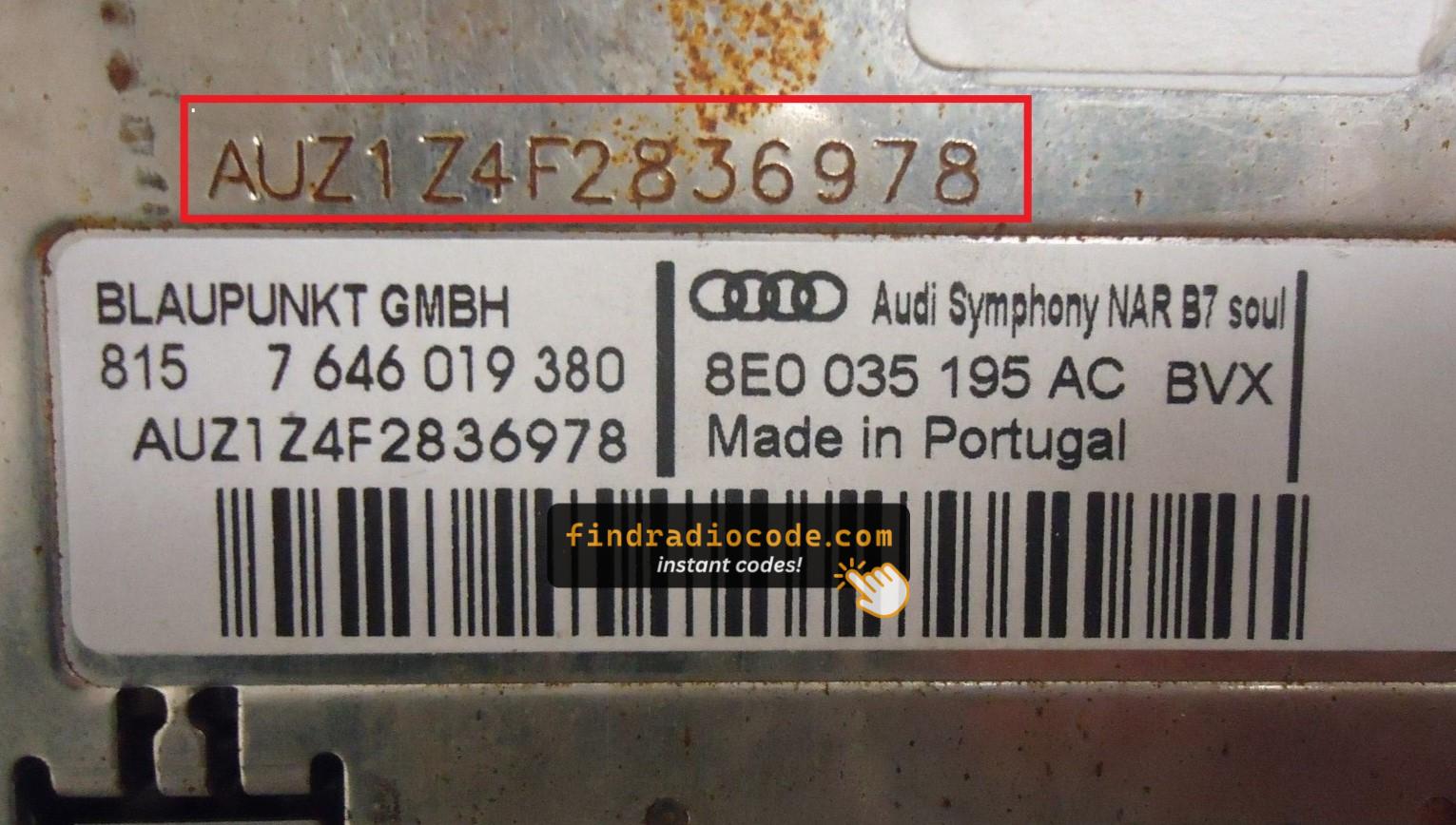
Audi Symphony Label (AUZ)
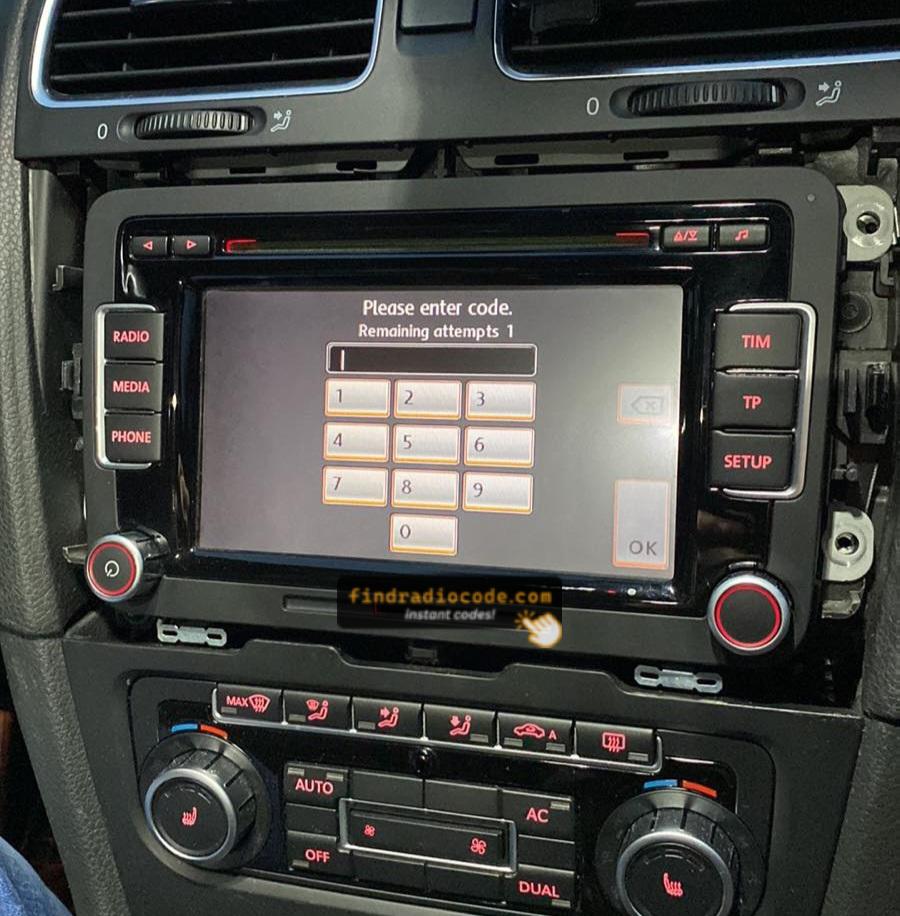
RCD510 SAFE Mode Screen
Some digital radios allow you to get the S/N via a button combination.
Not all models support this, but it's worth checking before removing the unit.
Once you have the code, entering it is usually simple.
The unit will request the unlock code on power-up.
Use the radio preset buttons or numbered keys to enter the code.
Some models require you to press a specific button - such as pressing "OK," "Enter," or "5" to confirm or holding "Seek", "Tune" or the preset key.
Be careful not to enter the wrong code multiple times.
After 3-10 wrong attempts, some radios trigger a lockout timer or require a long wait.
If your radio is locked, we can help reset it. Our guides cover the steps.
Our process is built for speed, simplicity, and accuracy.
Using our lookup tool is simple.
Just enter your radio's serial, and our system matches it to the exact security PIN for your vehicle.
There's no dealership visit, and the entire lookup is instant.
Our system includes thousands of supported serials, ensuring high compatibility and accurate delivery.
We've helped thousands of users unlock their factory radios with a 4.9 average rating.
No VIN required, no personal data collected - just your radio's serial. Our unlock system is designed for privacy and precision.
If the code doesn't work, don't worry. Just send a short video showing the code entry and serial number, and you'll receive a full refund - no questions asked.
A radio, an anti-theft or a security code is a short numeric password used to restore access to your original head unit.
This feature protects against theft by locking the radio when power is interrupted.
Yes, all Audi vehicles with factory-installed radios require a radio code after battery disconnection or radio replacement. This applies to all models including A1, A3, A4, A5, A6, A7, A8, Q3, Q5, Q7, Q8, TT, and R8.
The anti-theft feature is standard on all Audi radios including RNS-E Navigation, Chorus, Concert, Symphony, and MMI systems manufactured by Blaupunkt, Becker, and other VAG suppliers. Your 4-digit code is permanently linked to your radio's unique serial number. Audi shares radio systems with VW, Skoda, and SEAT brands.
Start by checking the vehicle handbook. The code is sometimes found on a detachable slip or written directly on a page.
You can also check the glovebox or trunk, where dealers or previous owners may have stored a sticker with the code. Some also search for it behind trim pieces or inside the fuse box.
If you have the original manufacturer label, that's the best place to find the code - it usually includes both the serial number and unlock key.
There are a few options - but they don't always work.