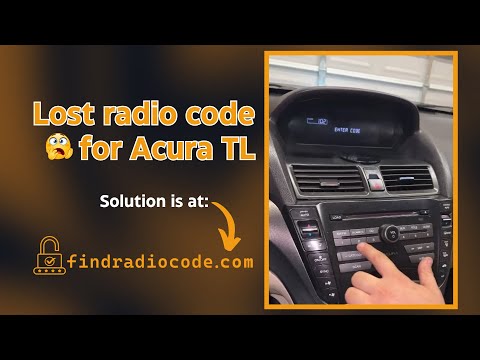
How to Get Honda Radio Code?
If your radio code is lost, you have a few options.
Dealer Option (Time-Consuming, VIN Required, With Paperwork)
The slower way to retrieve it is by contacting a dealer, car manufacturer, or authorized service center.
They typically require your Vehicle Identification Number (VIN), proof of ownership and vehicle documents, and sometimes even a registration certificate.
The process is often delayed.
Some charge a fee (which can be expensive), while others offer it for free - but it can take hours or days.
Response times and fees depend on the brand and location.
Useful for verification, but not the most time-efficient route.
Find Radio Code - Quick, Reliable and Cheap
The fastest and easiest way to unlock Honda radio is through our service.
All you need is your radio's serial number, which can be found on the unit, retrieved from the screen or located on the sticker.
There's zero paperwork involved, and delivery is instant and automated.
Our system works with nearly all factory-installed Honda radios.
Find Radio Code handles everything automatically, and we offer a 100% refund if it doesn't work.
Just enter your email and serial number - and, that's it.
Dealer vs Find Radio Code
|
Dealer |
Find Radio Code |
| Delivery time | Few hours to days | Instant almost always |
| Availability | Mon-Fri | Always |
| In person visit? | Sometimes | Never |
| Pricing | $120-$200 | From $9.99 |
| Refund | Sometimes | 100% Refund |
How to Find the Serial Number (S/N) on Your Honda
By Extracting the Radio Unit (Commonly Used Method)
The majority of factory radios, the serial number is printed on a label attached to the side of the unit.
To access it, you'll need to remove the head unit using basic tools.
- You'll find a label with numbers and barcodes
- The serial is usually 8-14 characters long
- Avoid confusing it with the part number - only serial can be used for code generation
This method applies to most older and mid-generation models.
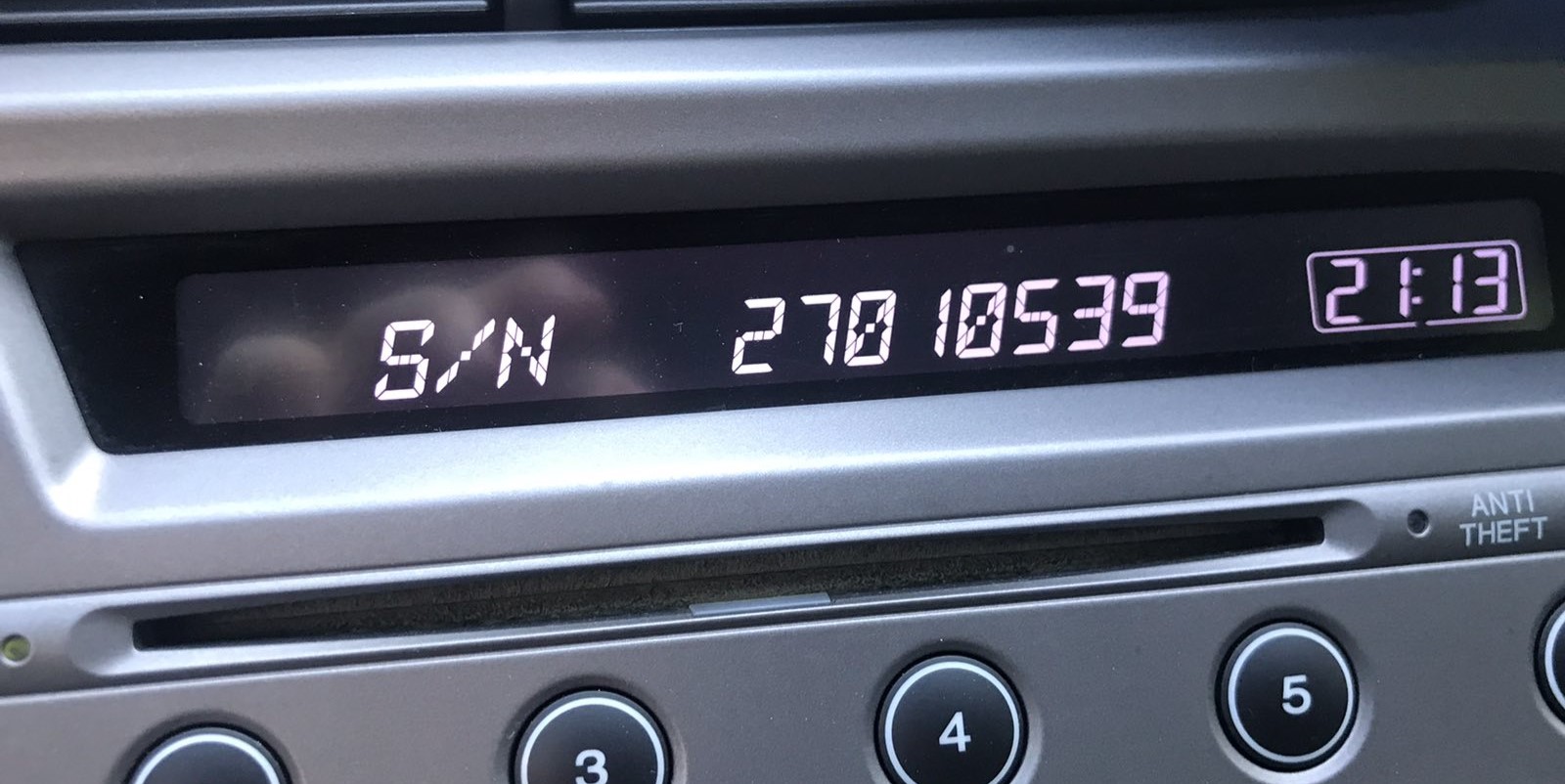
Serial Number on Screen (U#### L####)
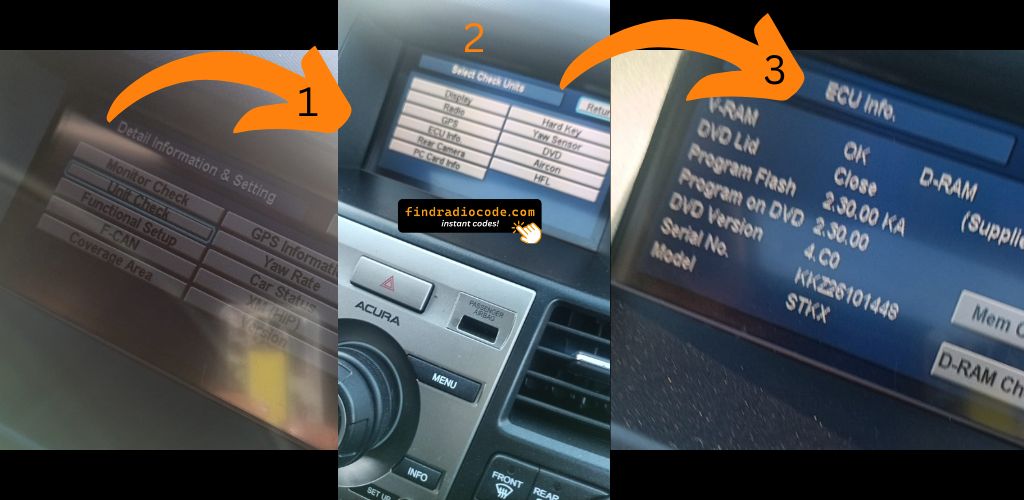
How to Display Serial (Buttons 1+6)
Pro Tip: For most Honda and Acura radios, you can display the serial number on screen without removing the unit. Hold buttons 1+6 while turning the radio ON!
On the Display (No Removal Needed)
Some digital radios allow you to access the S/N via a button combination.
- Try holding buttons 2 & 6 while turning on the radio
- It's usually shown before the "CODE" prompt appears
- The combination of buttons for every radio is unique.
This works on some units from the 2000s onward.
The Difference Between the Serial Number and Part Number
The Serial Number (S/N):
- This is the unique identifier assigned to your specific radio.
- It's required to generate the unlock code.
- Usually found on a label marked "S/N" or "Serial".
The Part Number:
- This refers to the internal hardware specification of the unit.
- It's used by manufacturers for repairs, but irrelevant for unlocking your stereo.
- Often longer and more generic.
How to Enter the Radio Code
Once you have the code, entering it is usually simple.
Most radios display "CODE" or "ENTER CODE" on the screen when locked.
Use the radio preset buttons or numbered keys to enter the code.
Some models unlock after entering the last number - such as pressing "OK," "Enter," or "5" to confirm or holding "Seek", "Tune" or the preset key.
Be careful not to enter the wrong code multiple times.
Certain units will enter SAFE or WAIT mode after too many errors.
If your radio is locked, we can help reset it. Our guides cover the steps.
How Our Honda Radio Code Unlock Works?
Our process is built for speed, simplicity, and accuracy.
From Serial to Code: How It Works
Using our lookup tool is easy.
Just enter your radio's serial number, and our system matches it to the exact security PIN for your vehicle.
There's zero paperwork, and the entire lookup is automated.
Our system includes thousands of factory units, ensuring high compatibility and accurate delivery.
How Long Will You Have to Wait?
- Usually under 30 seconds on screen
- Also sent via email for backup
- In rare cases, manual lookup is required
- In that case, you may get the code in 1 hour, or 24h at most
Why Thousands Trust Our Unlock Tool
We've helped thousands of users unlock their factory radios with a 4.9 average rating.
No VIN required, no personal data collected - just your radio's serial. Our lookup system is designed for privacy and precision.
If the code doesn't work, don't worry. Just send a short video showing the code entry and serial number, and you'll get a full refund - no questions asked.
Frequently Asked Questions
What is a Security Code and Why It's Needed?
A radio, an anti-theft or a security code is a short numeric password used to unlock your factory car stereo.
This feature protects against theft by locking the radio when power is interrupted.
Why You Might Need a Honda Radio Code?
- Battery was disconnected or replaced
- Radio was removed or swapped
- There was an electrical issue affecting the radio fuse
- The car experienced a sudden loss of power
- You or a mechanic performed a factory reset
- A technician disconnected the battery or ran a diagnostic
- Radio was locked after multiple wrong code attempts
- You purchased a used vehicle without the unlock code
- Radio asks for the code after sitting unused for a long time
Do Honda vehicles Require an Unlock Code?
Yes, all Honda and Acura vehicles with factory-installed radios require a radio code after battery disconnection or radio replacement. This applies to all models including Honda Accord, Civic, CRV, Pilot, Odyssey, Fit, HR-V and Acura MDX, RDX, TLX, TL, TSX, ILX.
Exception: 2013-2014 Honda Odyssey and Pilot models do NOT require a radio code. All other Honda and Acura models do require the anti-theft code after power loss. Your 4-digit or 5-digit code is permanently linked to your radio's unique serial number.
Where to Find Your Code (If You Already Have It)?
Start by checking the owner's manual. The code is sometimes found on a label or written directly on a section.
You can also check the glovebox or trunk, where dealers or previous owners may have placed a sticker with the code. Some also search for it behind trim pieces or inside the fuse box.
If you have the original radio code card, that's the simplest place to find the code - it usually includes both the serial number and unlock key.
Can You Get Free Honda Radio Code?
There are a few options - but they don't always work.
- Check your owner's manual or code card - some vehicles came with the code printed at delivery.
- Call an authorized service center - some offer free code retrieval if you're the original owner and can provide proof of ownership.
- Try DIY forums or online databases, but they don't work for serial-based systems.
- For most users, our system is the easiest way to retrieve the correct code instantly.

 Honda
Honda